
Overview
MetaGen (pkg_metagen) is a free Joomla extension package that automatically generates meta descriptions for your articles. It includes a content plugin that runs on every article save and an admin dashboard for bulk regeneration and analytics.
Meta descriptions are the short snippets that appear in search engine results beneath your page title. Having good meta descriptions improves click-through rates and SEO performance.
MetaGen is completely free with no subscription tiers or usage limits. It is open source software released under the GNU General Public License v3 (GPL-3.0-or-later).
Automatic Generation
Meta descriptions are generated automatically every time you save an article. No extra steps, no API keys, no external services.
Bulk Regeneration
Fill in missing meta descriptions across your entire site in one click. Optionally limit to articles that don’t already have one.
Coverage Analytics
Dashboard statistics show how many articles have meta descriptions, your overall coverage percentage, and regeneration history.
Installation
Step 1: Install the Package
- Download the latest
pkg_metagenpackage from the extensions directory or from Multizone Limited - Log into your Joomla Administrator
- Navigate to Extensions > Install > Install from File
- Upload the
pkg_metagen_vx.x.x.zipfile and click Install
Step 2: Verify Installation
- Go to Extensions > Manage > Manage
- Search for “MetaGen”
- Ensure both the component and the content plugin are installed and enabled
Step 3: Start Using
That’s it. Once installed, the content plugin will automatically generate a meta description every time you save an article. No additional configuration is required.
Getting Started
Save an Article
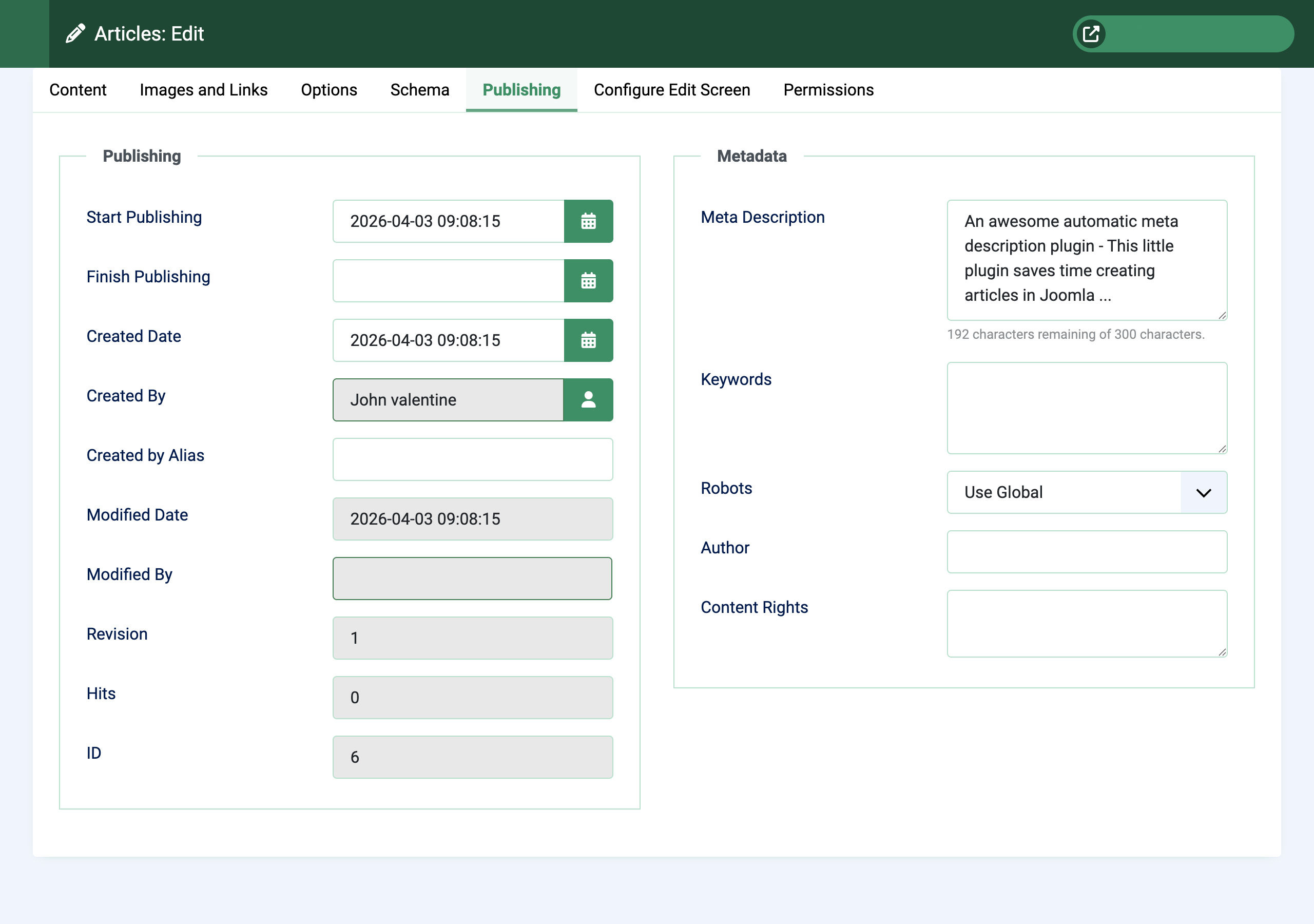
Open any article in the Joomla editor and save it. If the article doesn’t already have a meta description, MetaGen will generate one automatically from the article title and introductory text.
The generated description is saved to the standard Joomla meta description field, so it works with all templates and SEO tools.
Check the Dashboard
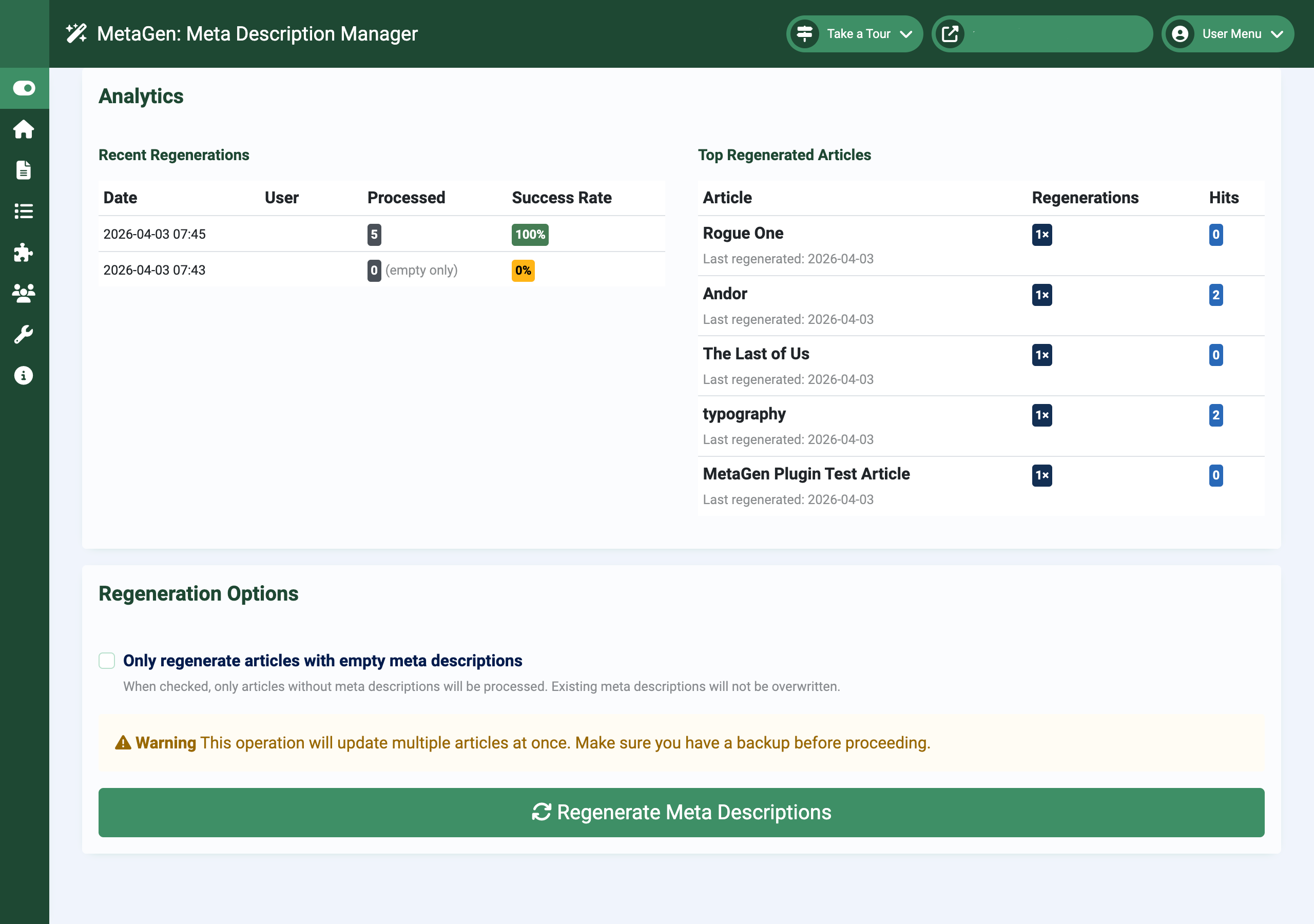
Navigate to Components > MetaGen to see your coverage statistics. The dashboard shows how many articles have meta descriptions and your overall coverage percentage with a progress bar.
The analytics section shows recent regeneration history and the most frequently regenerated articles.
Bulk Regeneration
If you have existing articles without meta descriptions, use the bulk regeneration feature on the dashboard. Tick Empty descriptions only to fill in gaps without overwriting your manually written descriptions.
Articles are processed in batches of 100 for reliability.
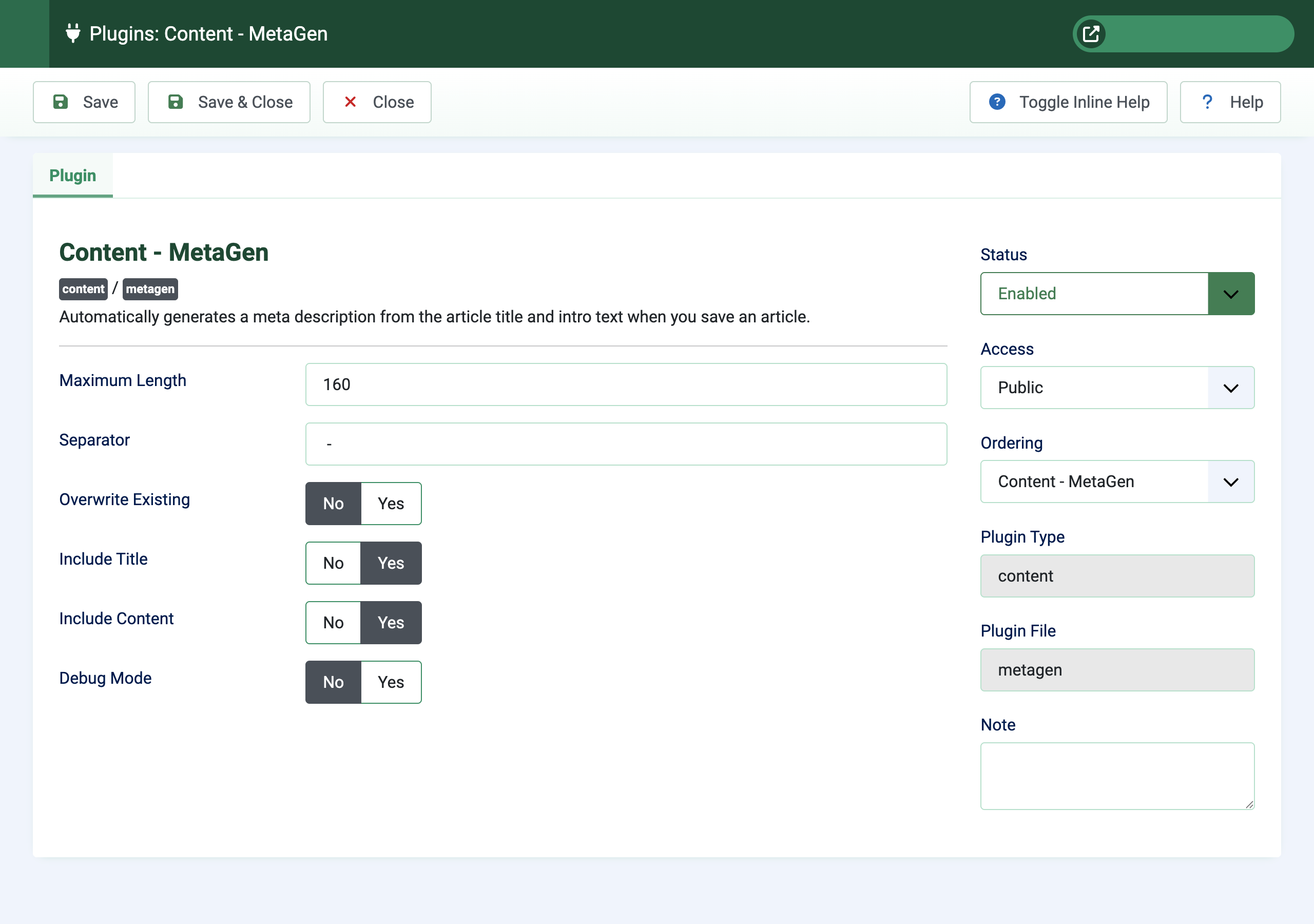
Settings allow granular control over the regeneration.
Configuration
Plugin Settings
The content plugin settings control how meta descriptions are generated. Configure these under System > Plugins by searching for “MetaGen”.
| Setting | Default | Description |
|---|---|---|
| Max Length | 160 characters | Maximum length of the generated meta description. Text is truncated at the nearest word boundary. |
| Separator | - |
String used to join the article title and content when both are included. |
| Include Title | Yes | Include the article title at the start of the meta description. |
| Include Content | Yes | Include the article’s introductory text in the meta description. |
| Overwrite Existing | No | Replace existing meta descriptions on save. Leave off to preserve manually written descriptions. |
| Debug Mode | No | Show admin messages when a meta description is generated during save. |
Component Settings
The component has a single setting configurable under Components > MetaGen > Options:
- Analytics Retention Period (default: 365 days) — How long to keep regeneration log data before automatic cleanup
Troubleshooting
MetaGen uses the standard Joomla update system. Check for updates via Extensions > Update in your Joomla administrator.
If updates are not appearing, verify your server can reach the Multizone update server. If the update site is missing, reinstall the package to restore it.
Get support
Contact us
Questions, bug reports, feature requests — get in touch.
- Website: multizone.co.uk
- Email:
This email address is being protected from spambots. You need JavaScript enabled to view it. - In-app help: Each Multizone component has a checklist or explainer on its dashboard and help throughout the component.
What support covers
All Multizone extensions are freely downloadable as trials.
- Trial — community support via the documentation and changelog.
- Standard / Premium / Enterprise — direct email support; response priority scales with tier.
Documentation and changelogs for every extension can be found at multizone.co.uk/documentation.


